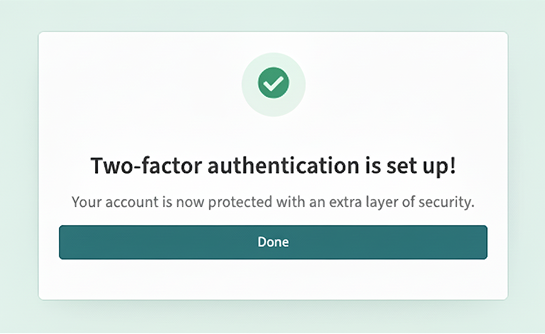
Data security might not be the most exciting of topics, but for a platform handling sensitive client and research data, it couldn’t be more important.
This post outlines how we introduced multi-factor authentication (MFA) here at Field Notes, the challenges we encountered along the way and what it means for our users in practice.
What is MFA?
MFA adds an extra layer of security, beyond the traditional email and password combination. It requires users to verify their identity by using a second factor – typically a mobile phone. Most people will be familiar with this from other secure login systems such as banking apps or email.
Our initial instinct was to use SMS codes as they would be most accessible to users. However, research showed that authenticator apps are more secure and that most users are already familiar with them.
We recommend the Google Authenticator app for its simplicity and reliability.
Why do we need it?
Without MFA, a compromised email account could give an attacker direct access to Field Notes. With MFA enabled, they’d also require access to the user’s phone – a much less likely scenario.
What this means for our users
New users now enrol for MFA as part of sign-up – a process that takes about a minute. They scan a QR code using an authenticator app, enter a six-digit one-time password (OTP) and from then on an OTP is required at each login.
Existing users have a ‘Skip for now’ option, which gives them a 30-day grace period before MFA is enforced. This avoids disruption mid-project, especially when important deadlines are looming.
If a user loses access to their MFA device, they can contact support and we’ll help them re-authenticate via our secure verification process.
Design challenges
Adding an extra security step to signup inevitably creates friction. Our challenge was to make it as clear, intuitive and user-centred as possible.
Initially, we displayed a QR code immediately after login, thinking that this would be the quickest way to get users enrolled:
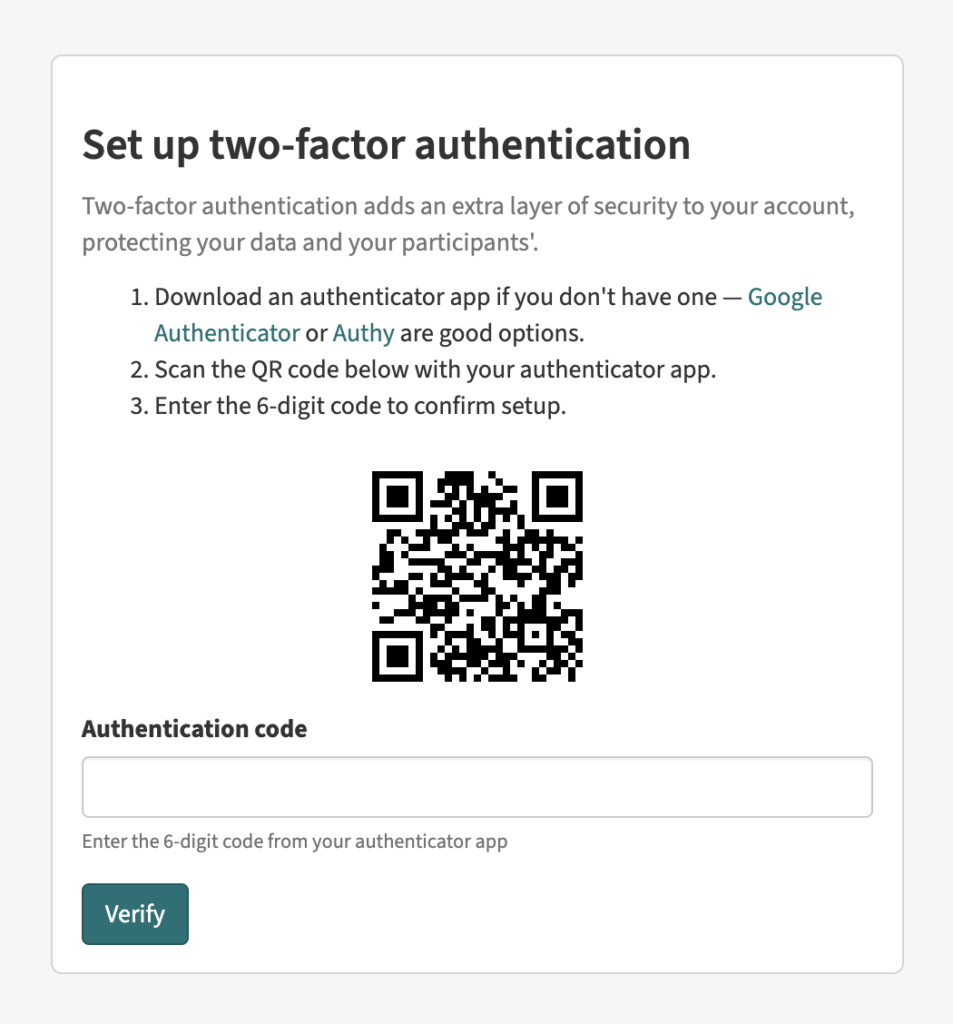
However, user testing revealed a major problem.
We learnt that by showing the QR code straight away, some people immediately scanned it with their cameras, without reading the instructions. On iPhones this opened Apple’s password manager instead of a dedicated authenticator app, causing confusion and failed setups.
This served as a powerful reminder to design for real behaviours, not assumed ones.
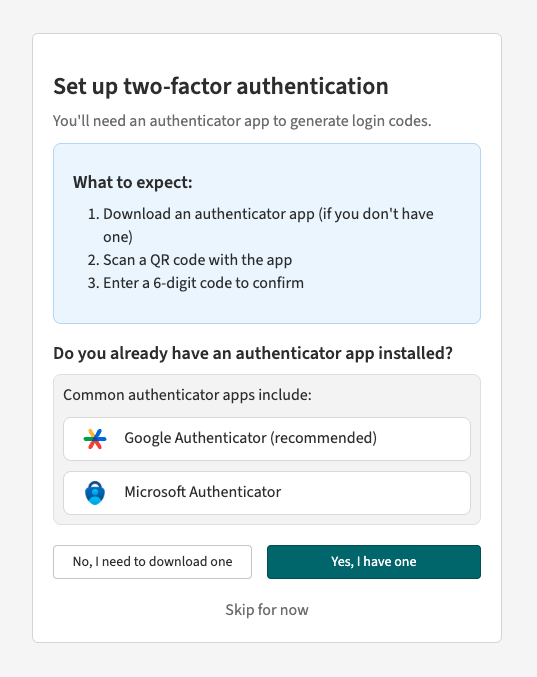
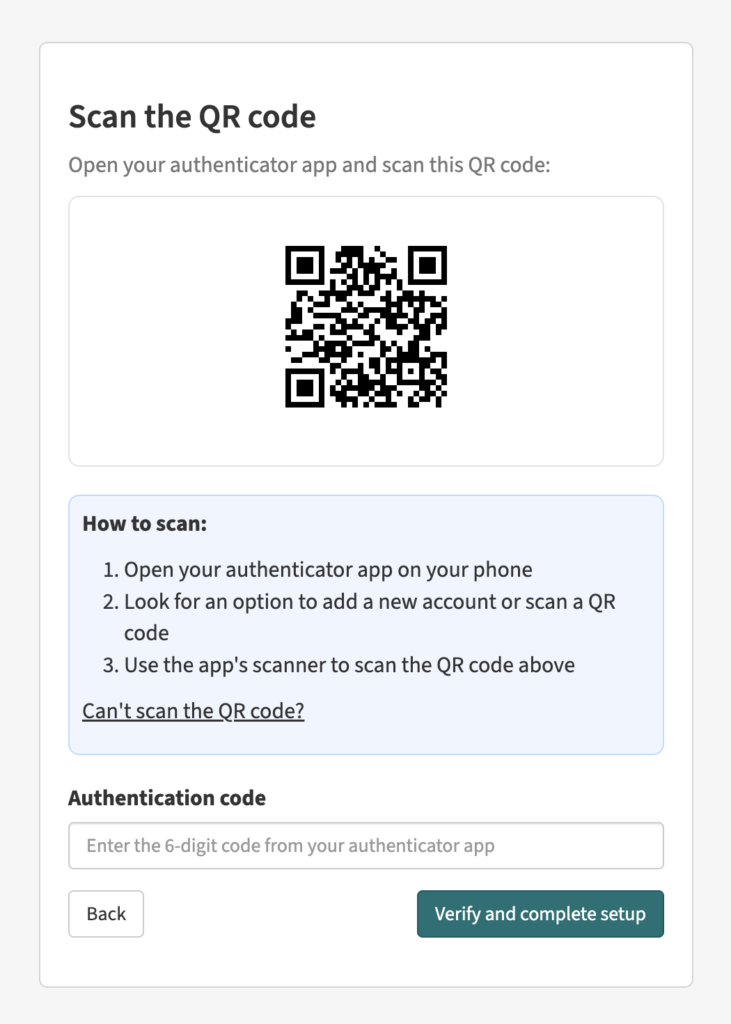
So we went back to the drawing board and split the flow into a multi-step process, giving users more guidance while keeping signup quick and intuitive.
- Have you got an authenticator app?
- If yes, scan the QR code
- If no, please download one
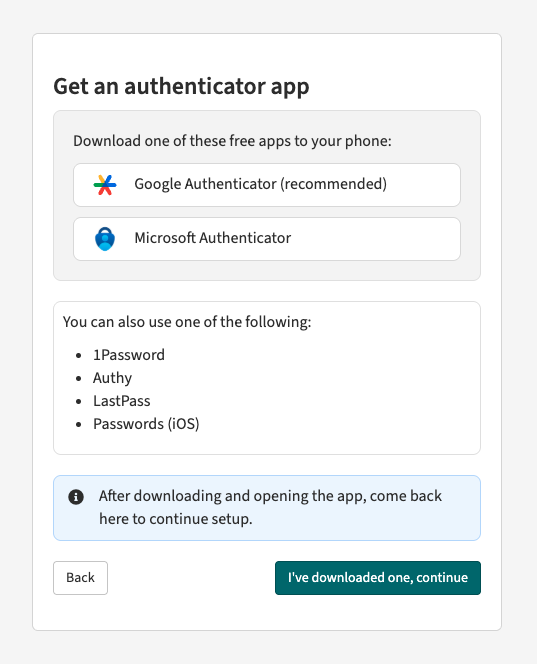
By splitting it into steps, we ensure users read the instructions before reaching the QR code, reducing the risk of errors.
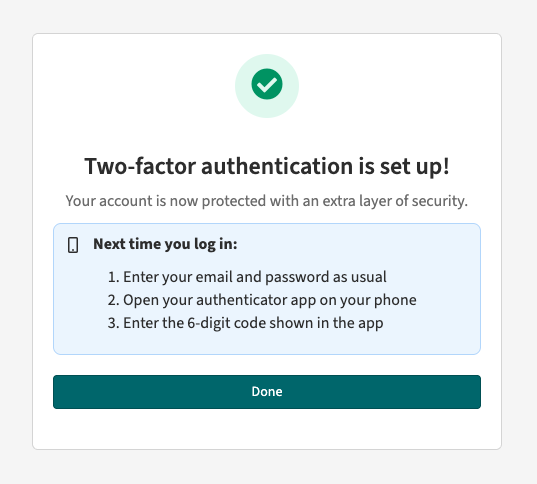
Two weeks in
Since going live, new users are enrolling without issue. Some existing users with live projects have taken the option to ‘skip for now’, which confirms the grace period was worth building.
Field Notes is now significantly more secure and ready to take on more clients with higher security requirements – and crucially, it remains intuitive and user-friendly.
What’s next?
We’ll continue to monitor adoption and make any tweaks we can to simplify the process.
Further down the line, we might introduce other options for MFA, such as SMS or passkeys. But for now we think that authenticator apps offer the best balance of security and usability.
Interested in finding out more? Get in touch with us at hello@fieldnotes.space