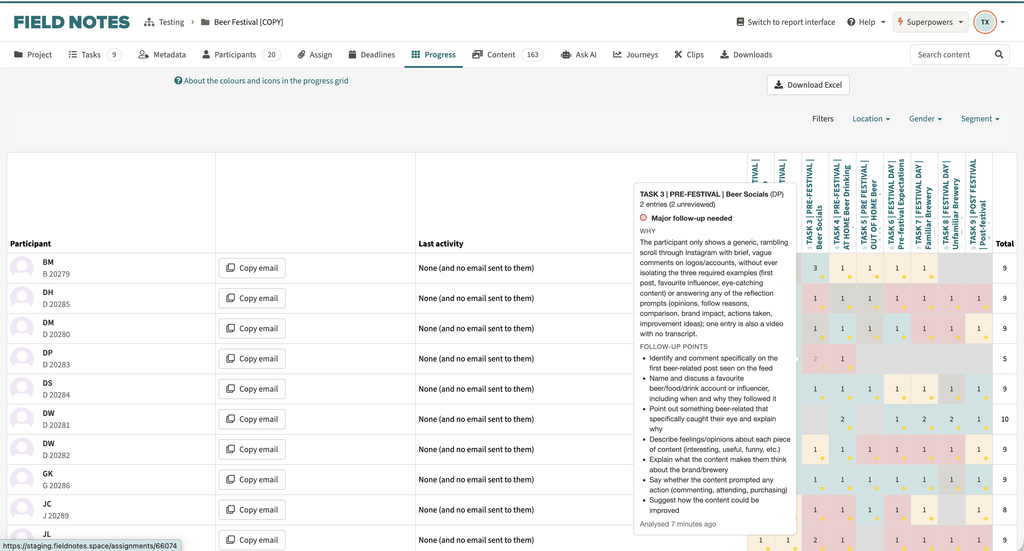
Reviewing an entry used to mean jumping between pages to check the brief or message the participant.
Now it all happens in one place.
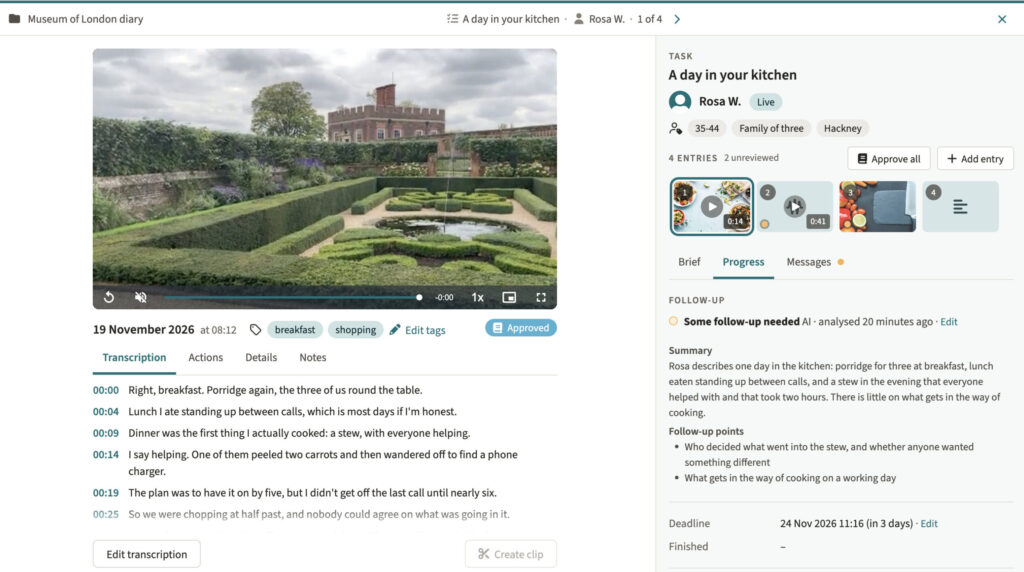
The entry stays front and centre, with the media and transcript on the left.
A new side panel puts everything else within reach:
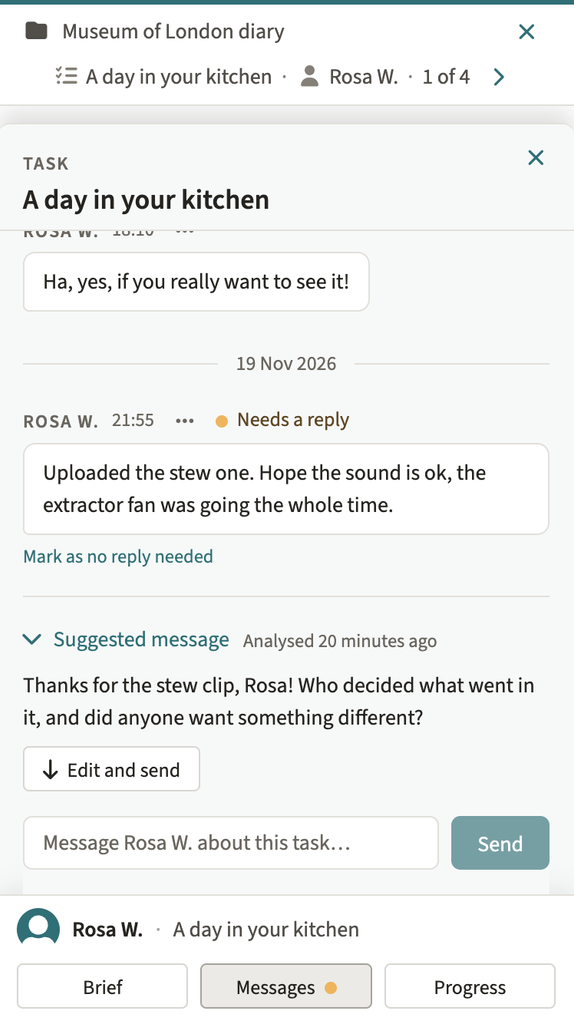
- Message participants, with translations, and see at a glance who’s waiting for a reply
- Check the brief without leaving the entry
- See the participant’s other entries for the task
- Read the AI summary, with suggested follow-up points and a draft message
- Manage the task: unassign, mark as finished, go live now
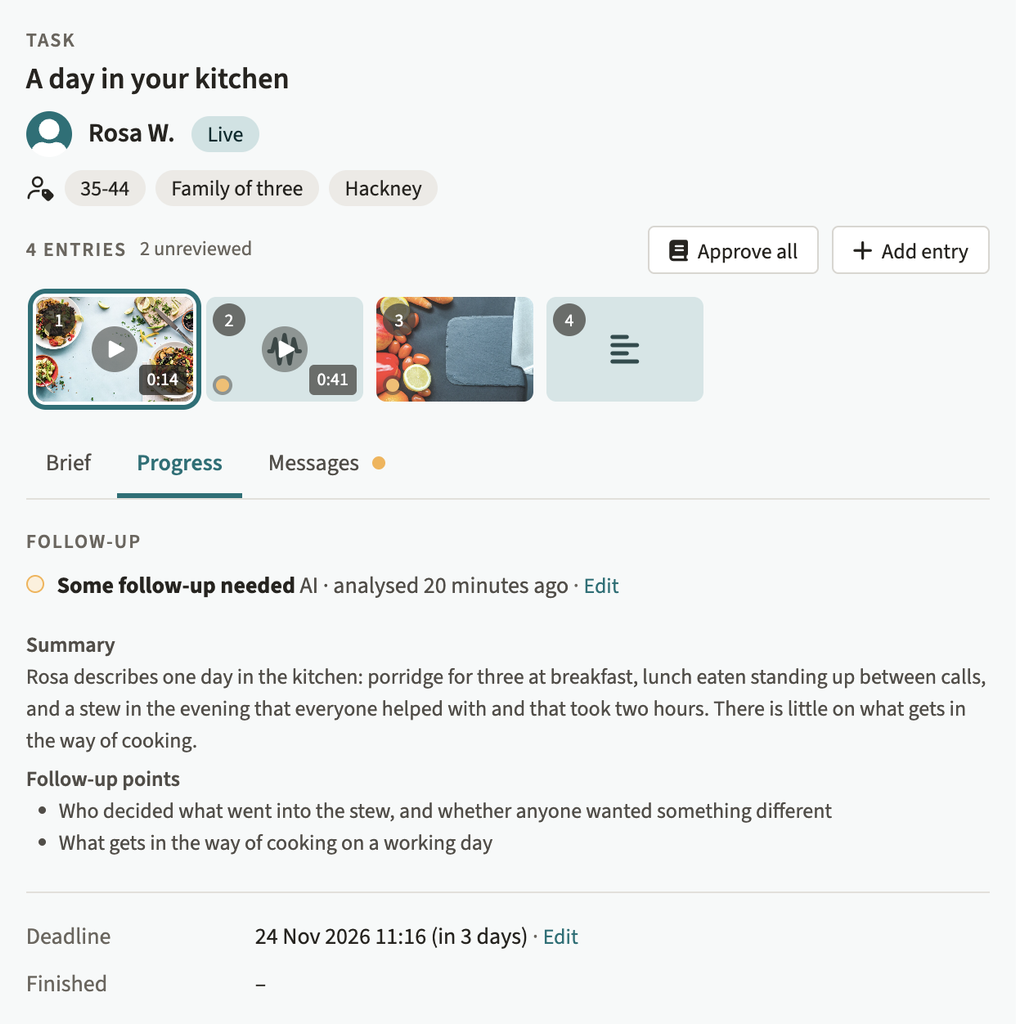
Reviewing in bulk is quicker too. Coming from the content browser, use the next and previous buttons, or your left and right arrow keys, to move through entries as you go. Everything you already use is still here: time-coded transcripts with translations, clips, downloads, notes and approvals.
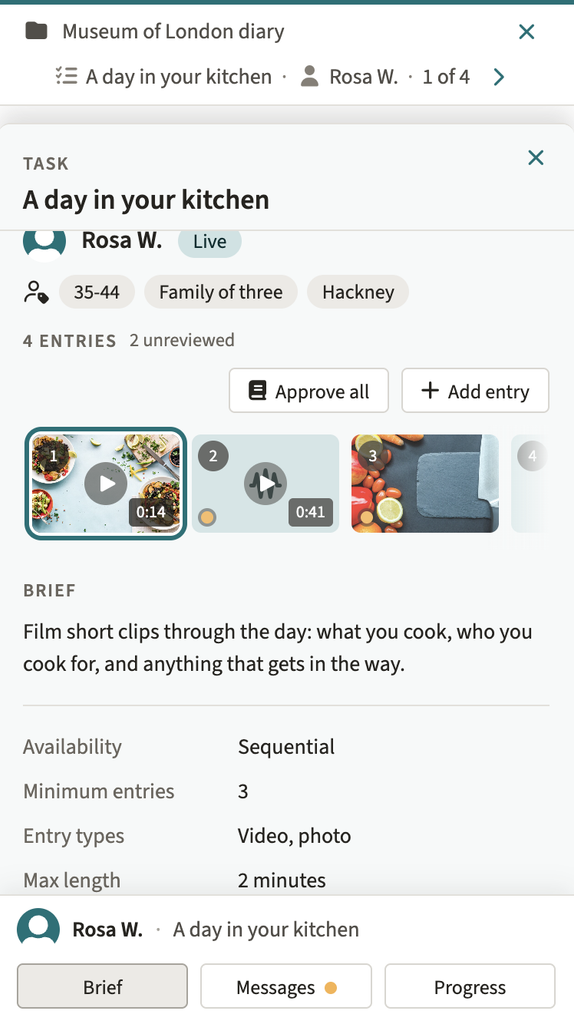
It works on mobile as well, where the side panel moves to a menu bar at the bottom of the screen.
We hope it makes your reviewing easier. Fancy trying it? Email us at hello@fieldnotes.space.